AI Leadership Summary
Overview
Leadership Summary delivers AI-generated executive briefings on your org's engineering health. It blends delivery, quality, reliability, and predictability signals into a polished narrative you can ship to stakeholders without edits.
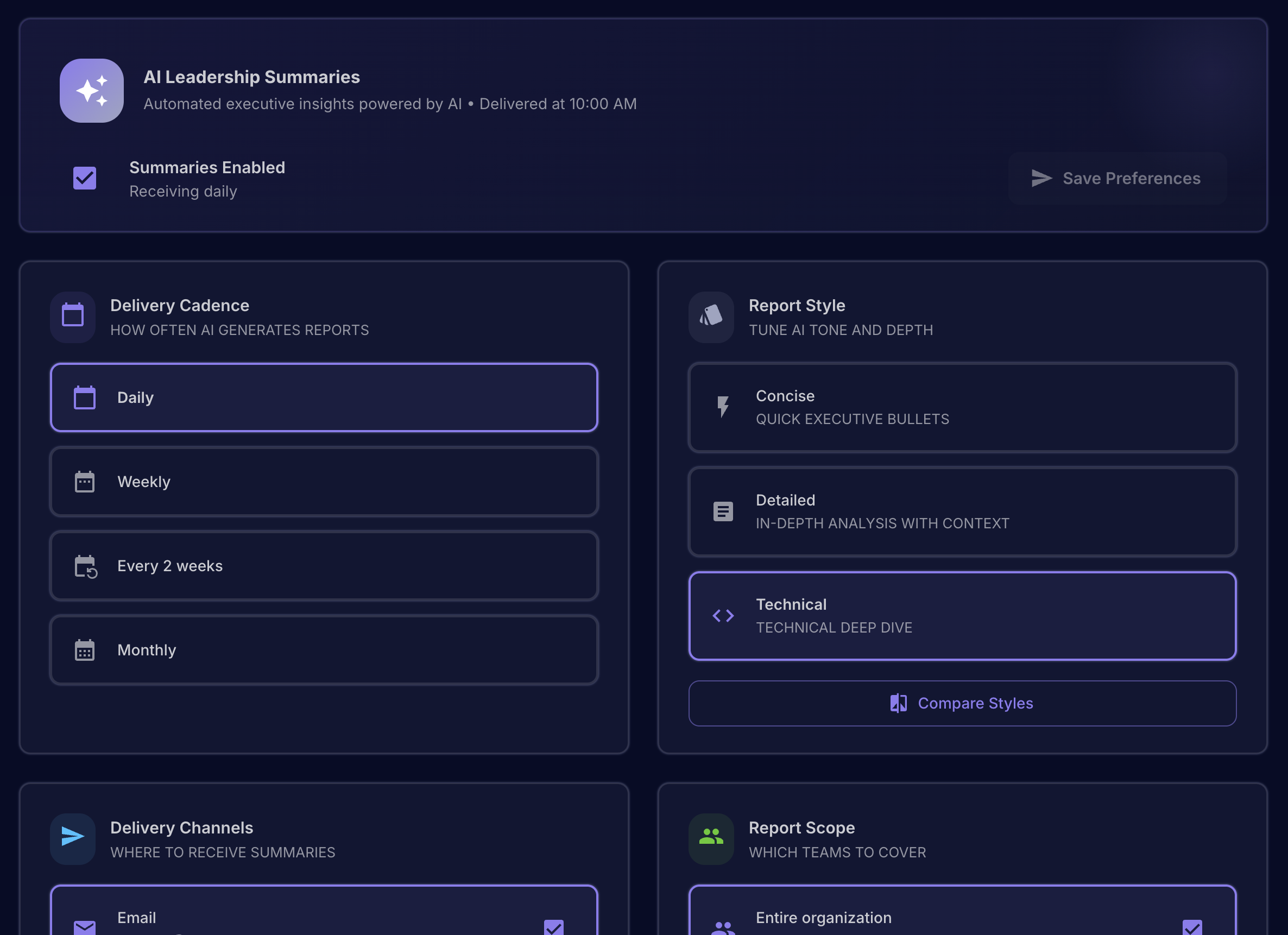
Availability
Cloud • Pilot-gated. Enabled per org; talk to your Middleware team if you don't see it.
| 🚀 At a glance | What it means |
|---|---|
| ✨ AI-written exec brief | Clear highlights + action items, styled for leadership |
| 📅 Auto-cadence | Daily, weekly, biweekly, or monthly at 10:00 AM |
| 📡 Multi-channel | Email + Slack DM delivery with history and receipts |
| 🎯 Scoped | Whole org, your subtree, proxy “view as,” or custom teams |
| 🧭 Preview & send-now | Dry-run with custom ranges, or push an instant send |
What you get
- Executive-ready markdown reports with highlights, deltas, and action items.
- Three voices: Concise (bullet punch), Detailed (exec delivery report), Technical (deep dive for eng leaders).
- Channels: email and/or Slack DM; shows last-sent per cadence.
- Scope control: whole org, your management subtree, view-as another leader, or custom teams.
- Preview and send-now flows for ad-hoc updates.
Fast path
Enable, pick cadence + style, choose email and/or Slack, set scope, save. Then hit Generate Preview or Send Now. 🎉
Prerequisites
- Connected code/ticketing data (same sources used by Cockpit metrics).
- Email on your user profile (for email delivery).
- Slack integration (for Slack DM delivery).
- Role: managers can enable the "My management subtree" scope; other scopes are available to enabled users in the pilot.
Navigate
Product → Settings → Leadership Summary
Configure the report
Setup checklist
| Step | What to do | Why it matters |
|---|---|---|
| 1 | Toggle Enable summaries | Starts scheduled sends |
| 2 | Pick cadence (Daily/Weekly/2w/Monthly) | Aligns to your leadership rhythm |
| 3 | Choose style (Concise/Detailed/Technical) | Matches the audience tone |
| 4 | Select channels (Email/Slack DM) | Meet leaders where they read |
| 5 | Set scope (Org/Subtree/View-as/Custom) | Keep insights targeted |
| 6 | Save preferences | Locks in delivery rules |
Style guide (pick one):
- 🎯 Concise — short bullets + action items.
- 🧭 Detailed — exec delivery report: Velocity, Quality & Reliability, Predictability & Projects, Recommendations.
- 🛠️ Technical — deep dive: Code & Delivery, Reliability & Incidents, Workstreams & Projects, Recommendations.
Generate a preview
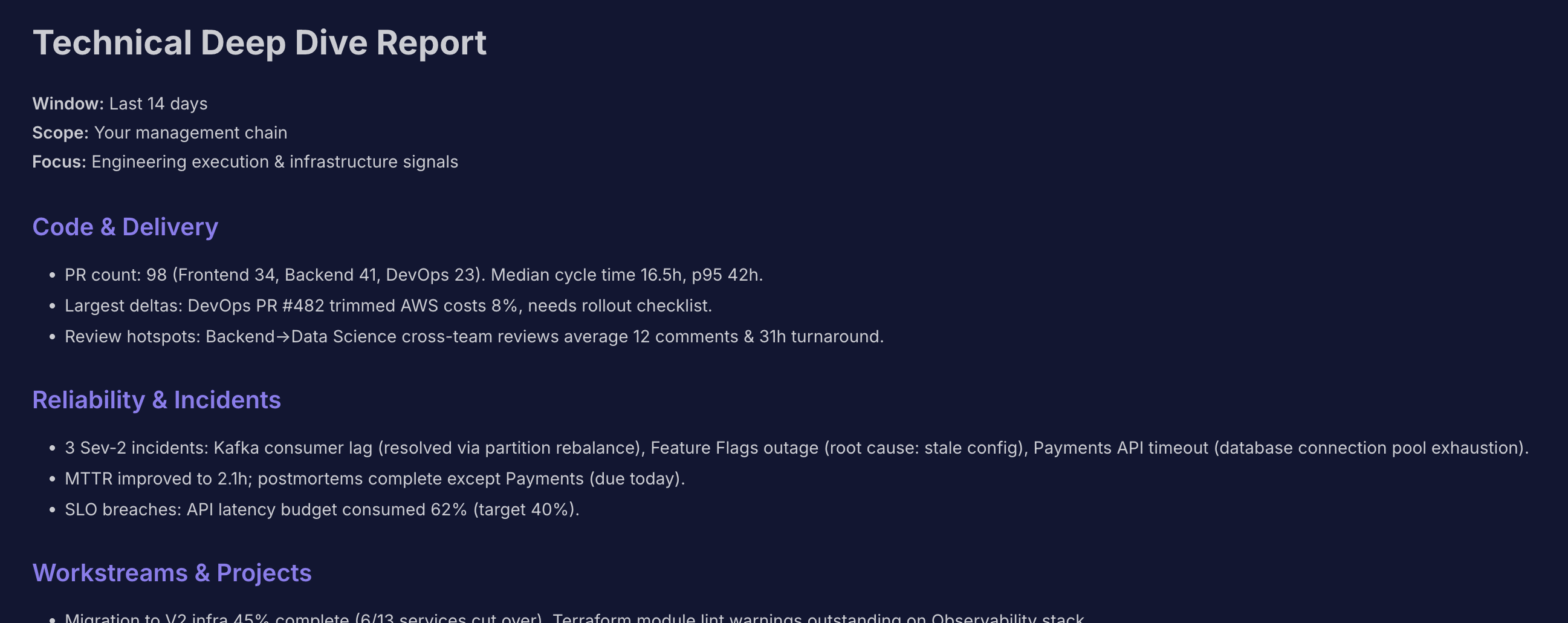
- Hit Generate Preview to see the exact markdown for the selected cadence, style, and scope.
- Use the date picker for a custom window (previews do not change your saved cadence).
- Copy the markdown for status decks or leadership updates.
Send now
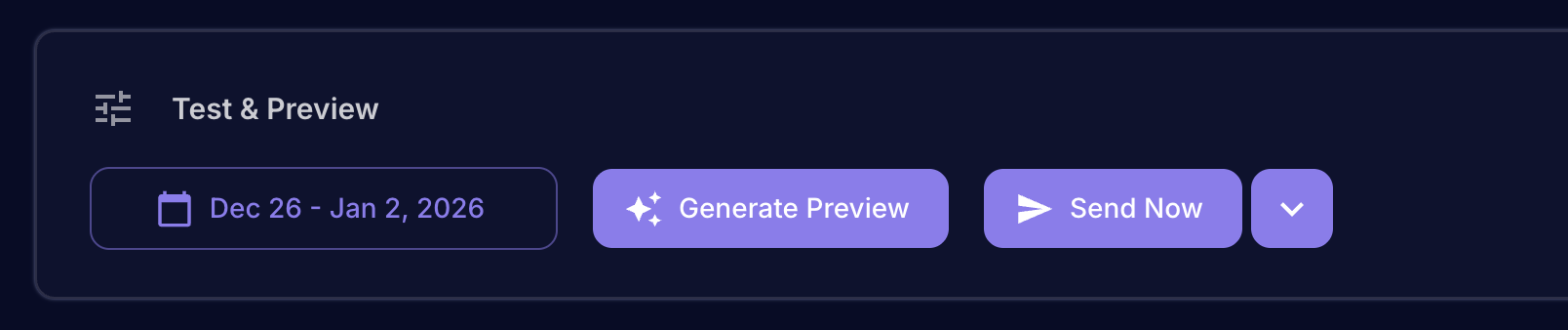
- Click Send Now to deliver instantly via your selected channels.
- With Slack connected, use the dropdown to target email only or Slack only.
- Delivery history shows the last sent timestamp per cadence.
How the time window is chosen
- Scheduled sends: uses the cadence lookback (1/7/14/30 days) or the last-sent timestamp for that cadence.
- Previews: use your selected custom date range.
Styles at a glance
| Style | Perfect for | Sections |
|---|---|---|
| 🎯 Concise | CEO/ELT headlines | Highlights, Action Items |
| 🧭 Detailed | Ops/Eng leadership reviews | Delivery Velocity, Quality & Reliability, Predictability & Projects, Recommendations |
| 🛠️ Technical | Staff+ eng, SRE, platform | Code & Delivery, Reliability & Incidents, Workstreams & Projects, Recommendations |
Scoping options
- 🌐 Entire organization: all teams.
- 🌳 My management subtree: teams under you (manager-only).
Delivery channels
- ✉️ Email: sends HTML + plaintext markdown to your primary email.
- 💬 Slack DM: posts formatted mrkdwn to your Slack user; long messages are chunked automatically.
Data sources and signals
The report pulls the same telemetry powering Cockpit metrics:
- 🚚 Delivery: cycle time, lead time, PRs per dev, deployments/day.
- 🛡️ Quality & review health: change failure rate, bugs %, PRs without review, PRs reverted, PRs merged quickly.
- 🔁 Reliability: MTTR, bugs in progress time.
- 📈 Predictability & execution: planned % completed, spillover %, completion ratio.
- ⚠️ Proactive risk checks: flags spikes (e.g., change failure rate >15%, rising MTTR, PRs merged without review, high spillover) and feeds the action items.
Tips
- Start with Weekly cadence + Concise style to socialize the summary, then move to Detailed/Technical for deeper reviews.
- Use Slack for quick consumption and Email for forwarding to stakeholders.
- Keep scopes lean (e.g., subtree) if you want sharper, team-specific insights.
Troubleshooting
- Can't see the feature: pilot-flagged; contact support to enable.
- No Slack option: connect Slack in Settings → Integrations.
- Preview empty or fails: ensure data integrations are healthy and try a shorter date range.
- Email not received: confirm primary email is set; check spam; if still blocked, contact support.
Related topics
- DORA Metrics: /product/cloud/dora/dora-metrics
- Roadmap: /product/cloud/roadmap
- Metrics Explained: /product/metrics-documentation